|


|
Potential Hazards That Can
Affect Your Data |
|
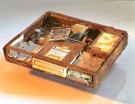
Water Damage
|
|

Hard Disk Head Crash
|
|

Massive Head Crash
|
|
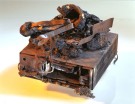
Fire Damage
|
|

Broken Backup Tapes
|
|
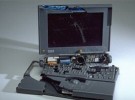
Crushed Notebook
|
|

Rocky Mountain WebBackup™
Backup Plans & Prices
The following prices reflect the
monthly charge for a subscription to backup a single computer. Volume discounts and custom backup packages are available on
request.
 |
Full backup performed daily or on demand |
|
Retains unlimited versions of each file and deleted files for 30 days |
|
Prices quoted are in Canadian Dollars. |
|
Prices shown are for desktop and laptop computers. Please contact us for server pricing.
|
|
Backup Plan |
Backup Size |
Cost Per Month |
|
Plan 7 |
Up to 7 GB |
$ 39.95 |
|
Plan 10 |
Up to 10 GB |
$ 42.95 |
|
Plan 15 |
Up to 15 GB |
$ 45.95 |
|
Plan 20 |
Up to 20 GB |
$ 48.95 |

Other Fees & Conditions
|
One-time Setup Fee |
Preparation of
custom client software and setting up backup account |
$ 50.00
setup fee |
|
Additional Storage |
For storage of backup files exceeding 20 GB |
$ .75
per 1 GB |
|
Referral Fee |
We will credit you for 2 months of your existing backup plan for every client you refer to us that signs up for a Rocky
Mountain WebBackup™ account. |
2 Months Free Backup |
|
Recovery Assistance |
Most restoration of data can be performed by the
client themselves from their PC at no extra charge.
If additional technical assistance is required, we
will be pleased to help.. |
$ 95.00
per hour |
|
Billing Cycle |
Fees are charged to your credit card on a quarterly
basis in advance. |
We Accept
VISA & MC |
Supported
Operating
Systems |
Windows 2000, Windows XP Pro, Windows Vista
Windows 7, Windows Server 2000/2003.2007/2008 |
|
| |
|
|
|
|
CLICK HERE
to view screen shots from the backup client software.
CLICK HERE
here to apply for a Rocky Mountain WebBackup™ account.
|
|
 |
 |
*U.S. Dollar & International Customers - Please Note
All prices shown are Canadian dollars. The currency exchange rate used by your
credit card company may vary from day to day.
|

Many people do not
backup their PCs at all! For the rest, in spite of the best
intentions, backups are done sporadically at best.
Plus, most people skip
the critical step of maintaining off-site copies of their backups.
|
|